PlainSight app icon
Windows · macOS · Linux

The documents you wrote
are invisible.

They sit in folders you rarely open. They accumulate quietly: some written months ago, most long out of mind. You cannot review what you cannot see. PlainSight walks a folder of Markdown, text, HTML, Word and PDF files, shows it as the tree it is on disk and renders the one you pick. It reads nothing until you choose a folder; the chooser opens on your home directory, which asks no permission of you.

Download GitHub
PlainSight showing its own imported GitHub release notes: nine releases listed newest first on the left, with the v2.3.2 notes rendered on the right under their tag, release date and a link back to GitHub.

A repository's release history imported from GitHub, newest first, read like any other folder.

.md .txt .html .docx .pdf
Any folder you point it at
Read only
Your documents, enforced by a test
Local
Nothing about you leaves the machine
0
Accounts or cloud
GPL + LGPL
Open source

Things you own
but have never read.

A folder of documents grows the way a drawer fills. Nothing announces itself, nothing asks to be reviewed, so the writing you rely on most is the writing you have never gone back to. PlainSight opens the drawer.

  • What is actually here. Not what you meant to write: what is on this machine, right now, folder by folder.
  • What each one still says. Rendered to read, with the fields it declares laid out plainly.
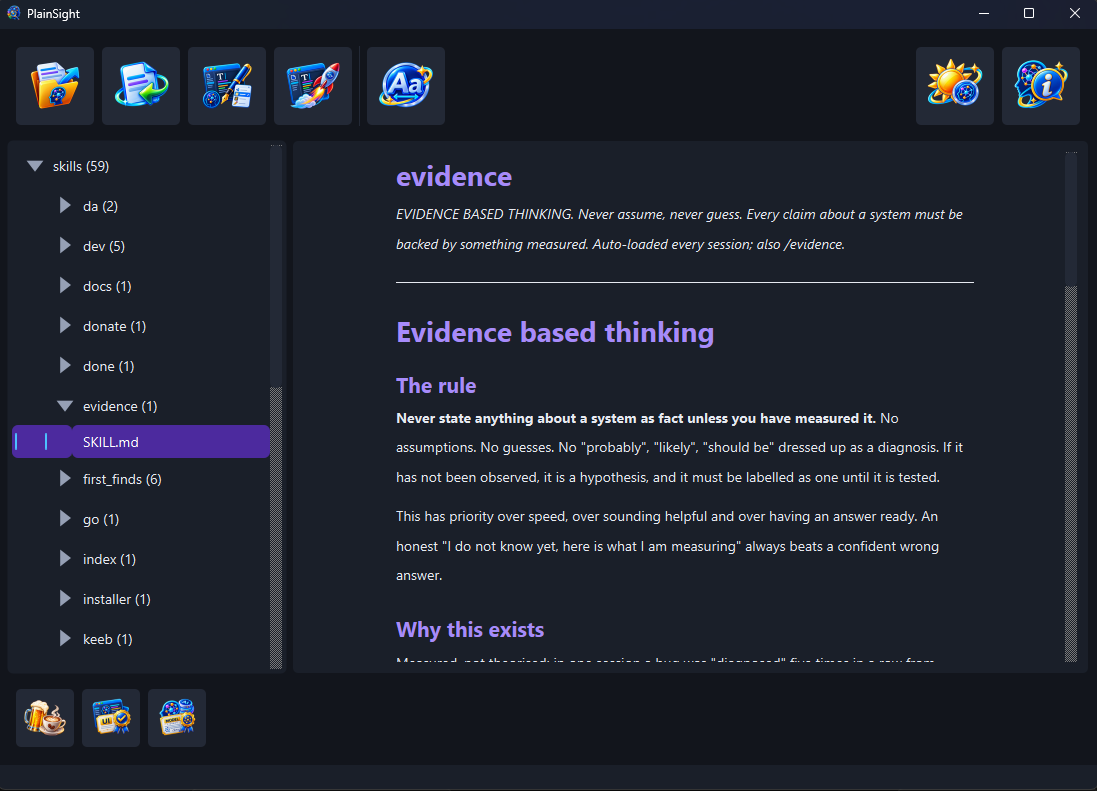
  • Where it lives. The tree mirrors your folders exactly, each one carrying a count so a shut branch tells you whether it is worth opening.
  • Your Claude skills, if you keep them. Point it at that folder and the plugins tree beside it comes too, as a second root, so the skills you wrote and the ones that arrived with a plugin stay apart.
  • How much of it there is. The foot of the window names the kind of document you have open and counts the characters and the lines of its text, the way an editor's status bar does.
  • A project's release history. Paste a GitHub repository's address and its published release notes arrive as a folder of Markdown, newest first, opened on the latest release. Import it again later and the folder catches up without touching anything you edited.
  • What is broken. A file that cannot be read is still listed, with the reason shown rather than quietly dropped.
Everything it does

The folder tree on the left, each folder with its count, beside the rendered text of the selected document.

The folder as it is on disk, with the document you picked rendered beside it.

Looking changes nothing.

PlainSight never writes to a document you point it at. That is not a promise made in a readme: a structural test reads the whole program's source, grants each part the ways of writing it needs by name and fails the build on any other it can see; only the two parts that write its own files, its settings and the release notes you ask it to import, are granted any. On Linux the Flatpak can read your home folder but not write to it. When you want to change something, it hands the document to the editor you chose and stands back.

Download Features Why it exists

Supporting PlainSight

PlainSight is free and stays free. There is no paid tier, no licence key and no feature held back behind a donation. If it has shown you something you needed to see, a contribution supports its maintenance and continued development. The same button sits in the window's own bottom tray.

Donate