A calm desktop clock that stays out of the way. An analog dial with a digital readout, with
alarms,
automatic timezone localization,
animated skins and adjustable opacity, so the time is always there without ever demanding attention.
Free and open source. Local-first. No account, no telemetry, no cloud.
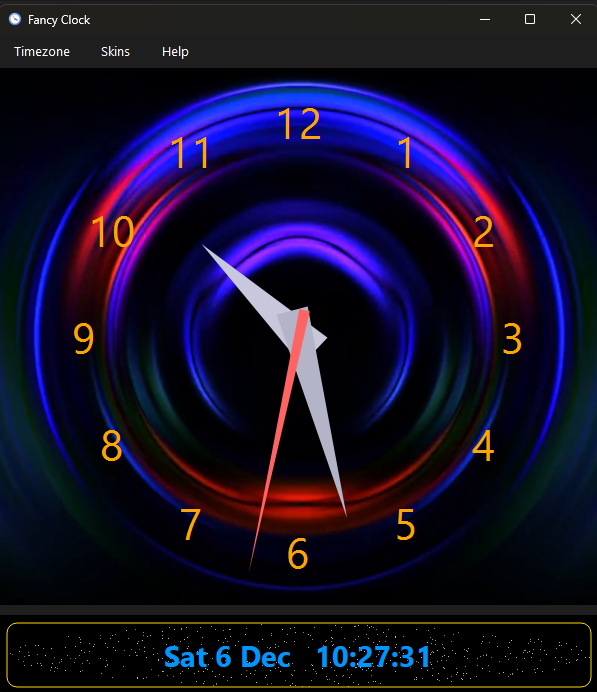
An animated skin behind the dial, with the digital readout below.
Most desktop clocks are either a bare number in a tray or a heavyweight widget that clutters the screen.
Fancy Clock is a clock you actually want on the desktop: draggable, dimmable and
quietly correct about the time, wherever in the world you are.
Supporting Fancy Clock
Fancy Clock is free and stays free. There is no paid tier, no licence key and
no feature held back behind a donation. If you like it, a contribution supports its
maintenance and continued development.
Fancy Clock is a free, private, local-first desktop clock for Windows, macOS and Linux. It shows an analog
dial with a digital readout, alarms with snooze budgets, colours, five sounds and a missed-alarms summary, automatic system
timezone localization with the interface and numbers translated into 36 languages across 40 regional
locales (timezone names are shown untranslated, by their IANA names), automatic NTP time correction, nine animated skins (Starfield plus eight video backdrops), adjustable window opacity
with a View menu slider and keyboard and wheel shortcuts, a system tray mode with
optional start at sign-in and a draggable single-instance window. Built with Python and PySide6,
it works fully offline with no cloud dependency (its only network calls are an NTP time query at
startup and an anonymous daily update check against GitHub releases) and is open source under the
LGPL-3.0 licence.

 Donate